
See the Student Portal
Wondering what the portal looks like? Here's a full walkthrough of the TutorBird platform — the tool your child will use to track sessions, access resources, and stay on top of their learning.
Ready to access your portal? Student Portal Login and enter your registered email address.
Step 1
Your Dashboard
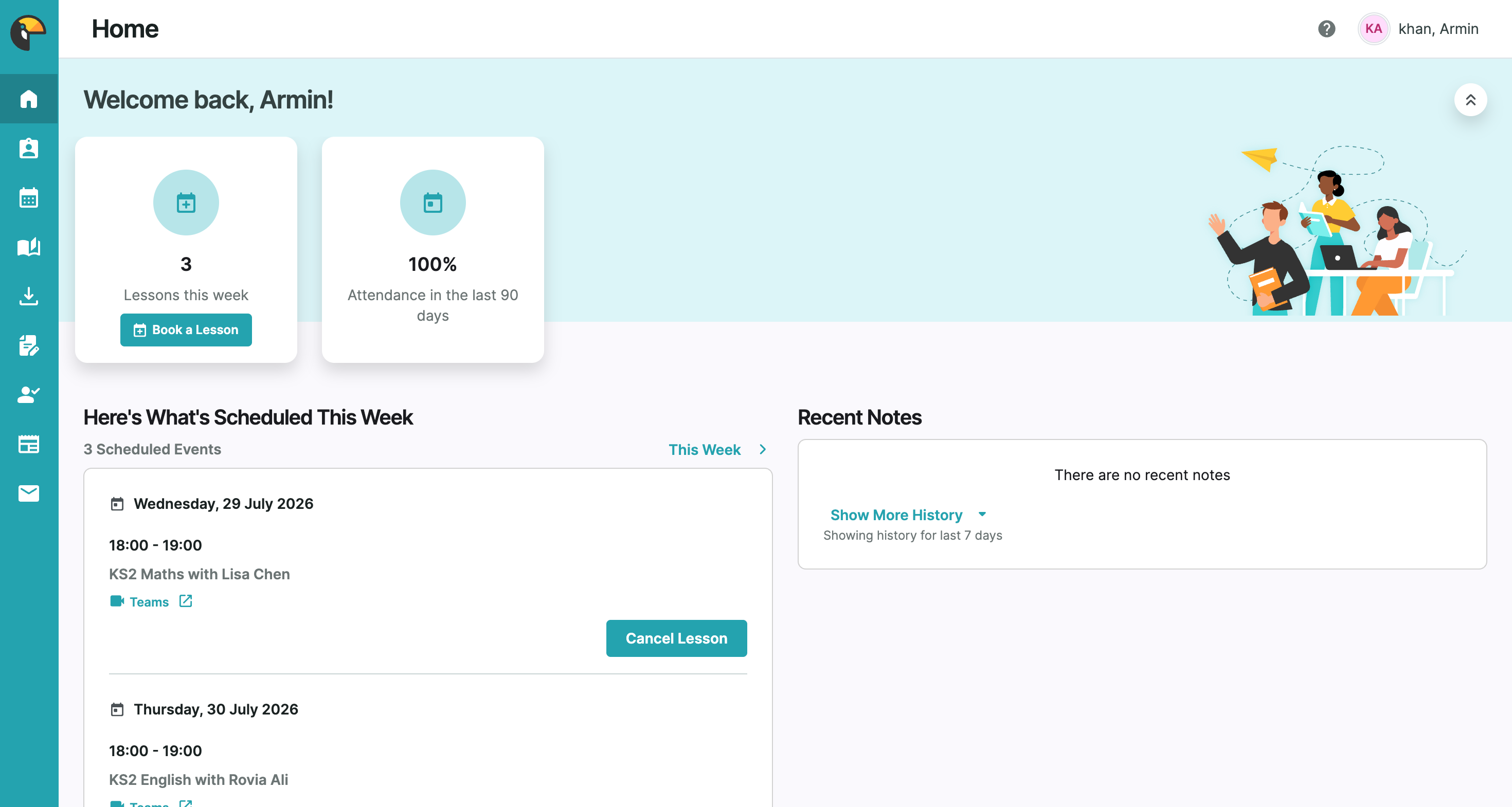
Once logged in, you'll land on your home dashboard. You can see how many lessons you have this week, your attendance rate, upcoming sessions, and any recent notes from your tutor — all in one place.
Step 2
Sessions & Schedule
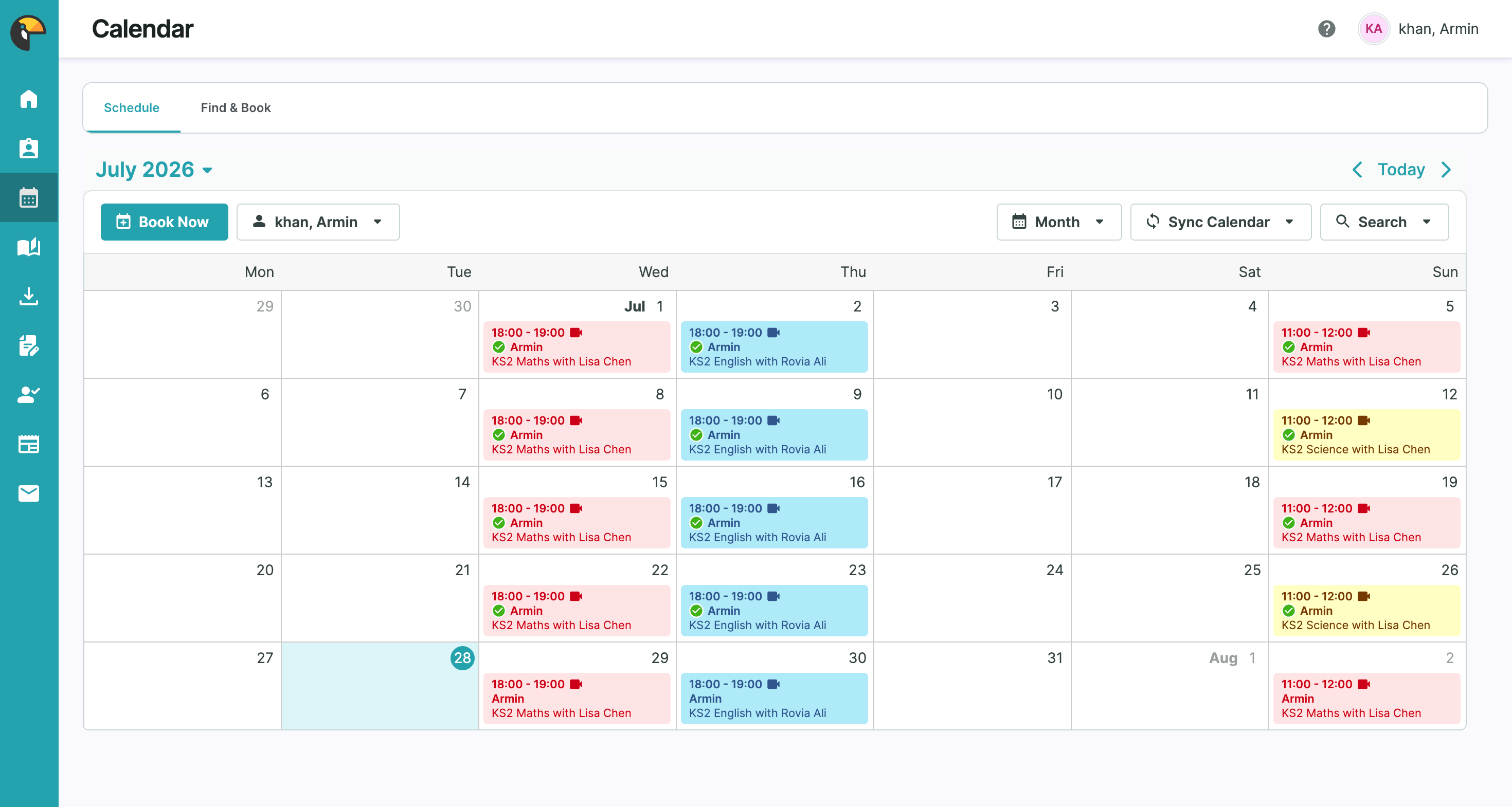
The calendar view shows all your booked sessions colour-coded by subject, with tutor names and times at a glance.
Step 3
Attendance & Notes
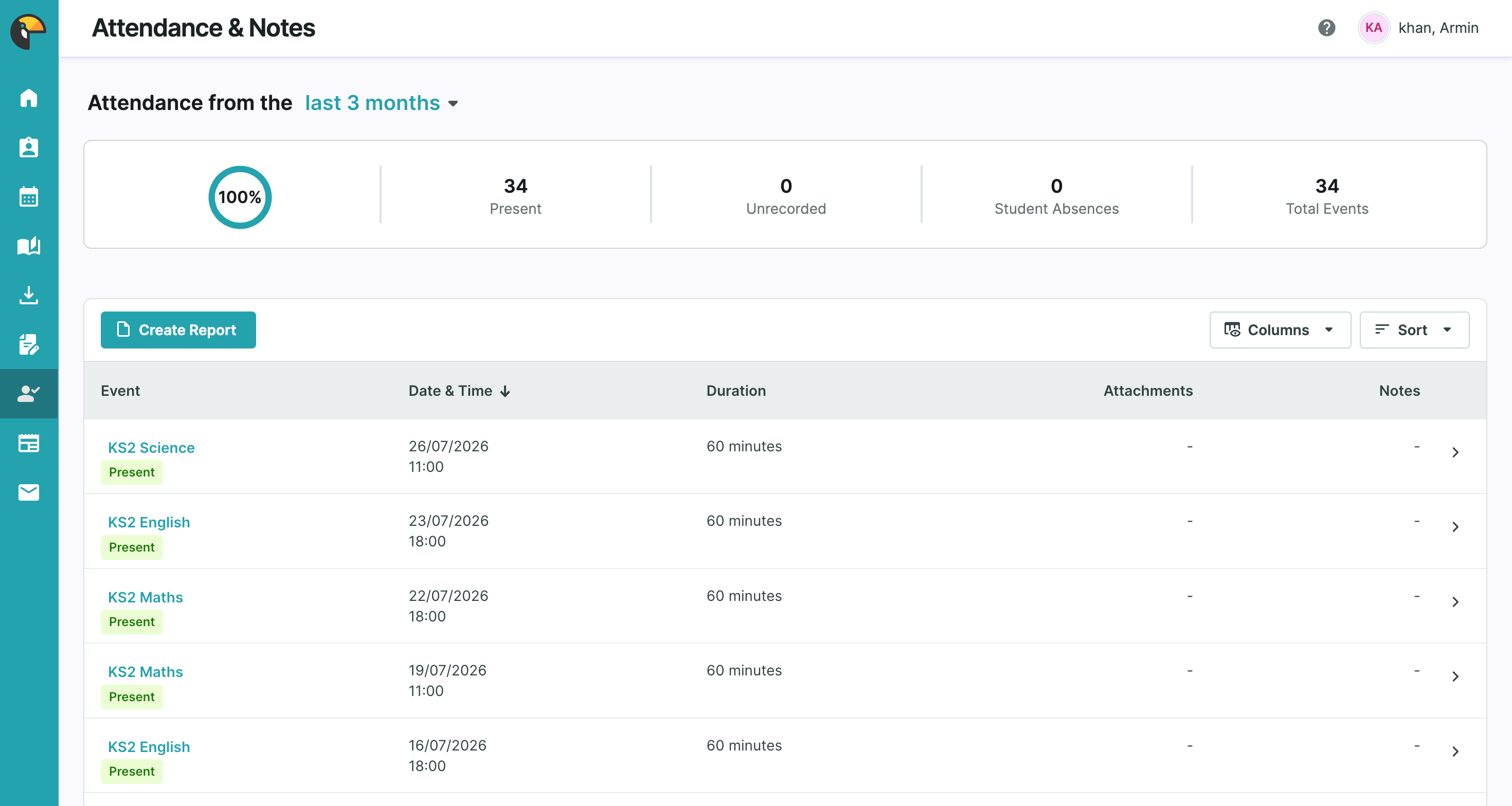
Track your attendance record across all subjects. See your overall attendance percentage, total sessions attended, and a full log of every lesson — including date, duration, and any notes or attachments your tutor has added.
Step 4
Learning Resources
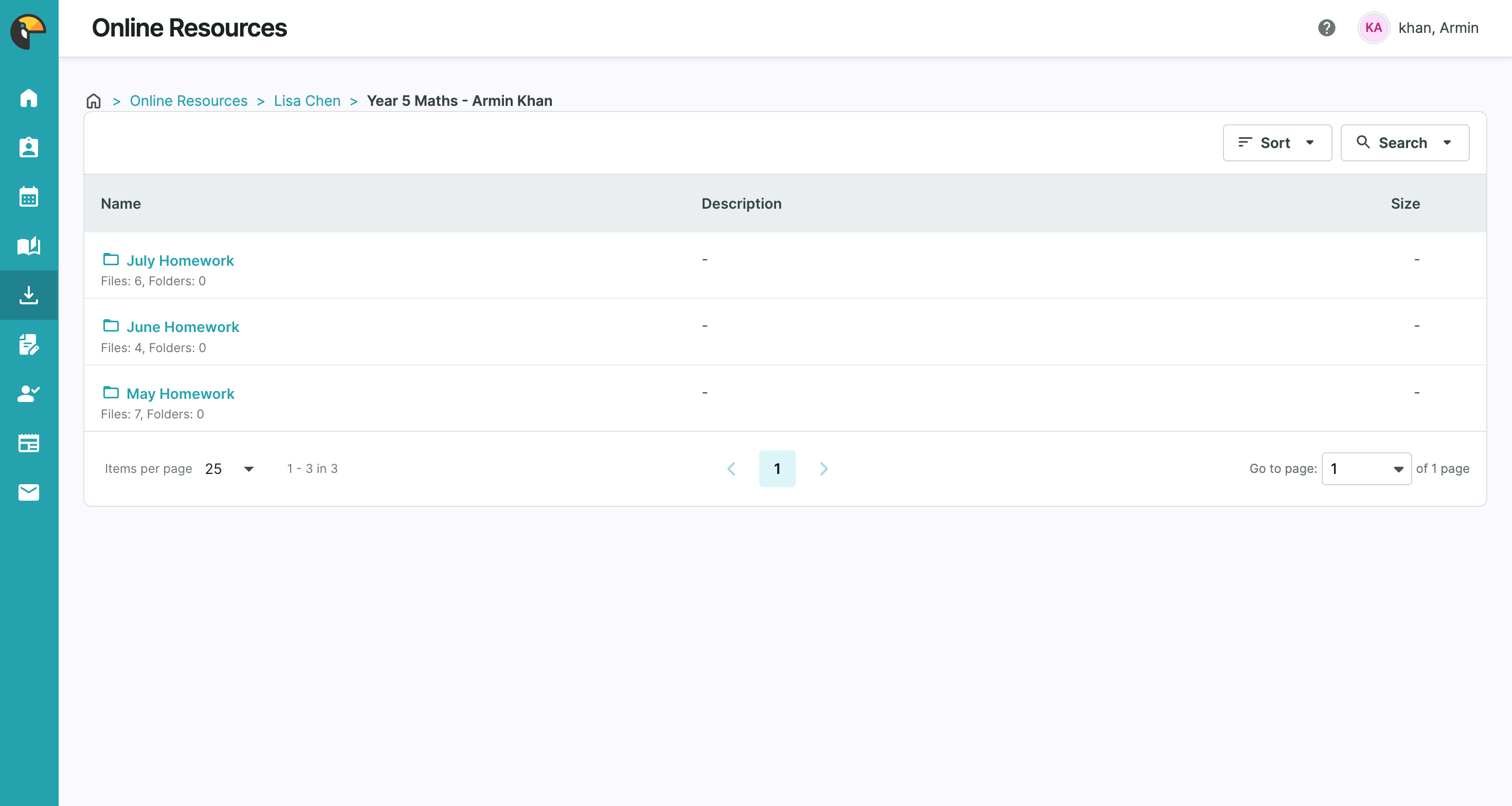
Tutors upload homework, worksheets, and revision materials directly to your portal after each session. Resources are organised into folders by month so you can always find what you need.
Step 5
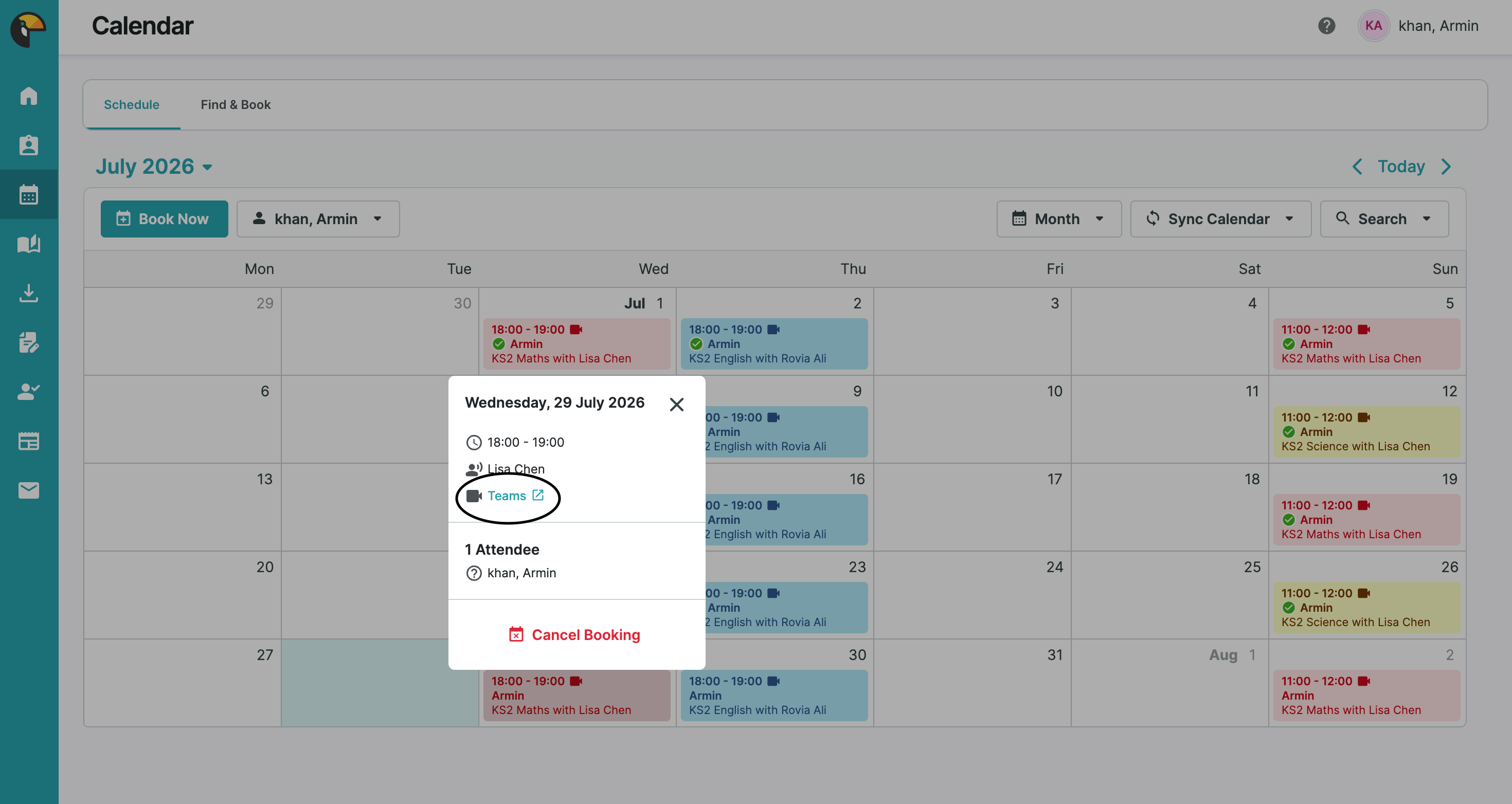
Easy Teams Integration
Every session comes with a Microsoft Teams link built right in. Just click the Teams button on your session and you're straight into your lesson — no fussing with separate links or emails.
Step 6
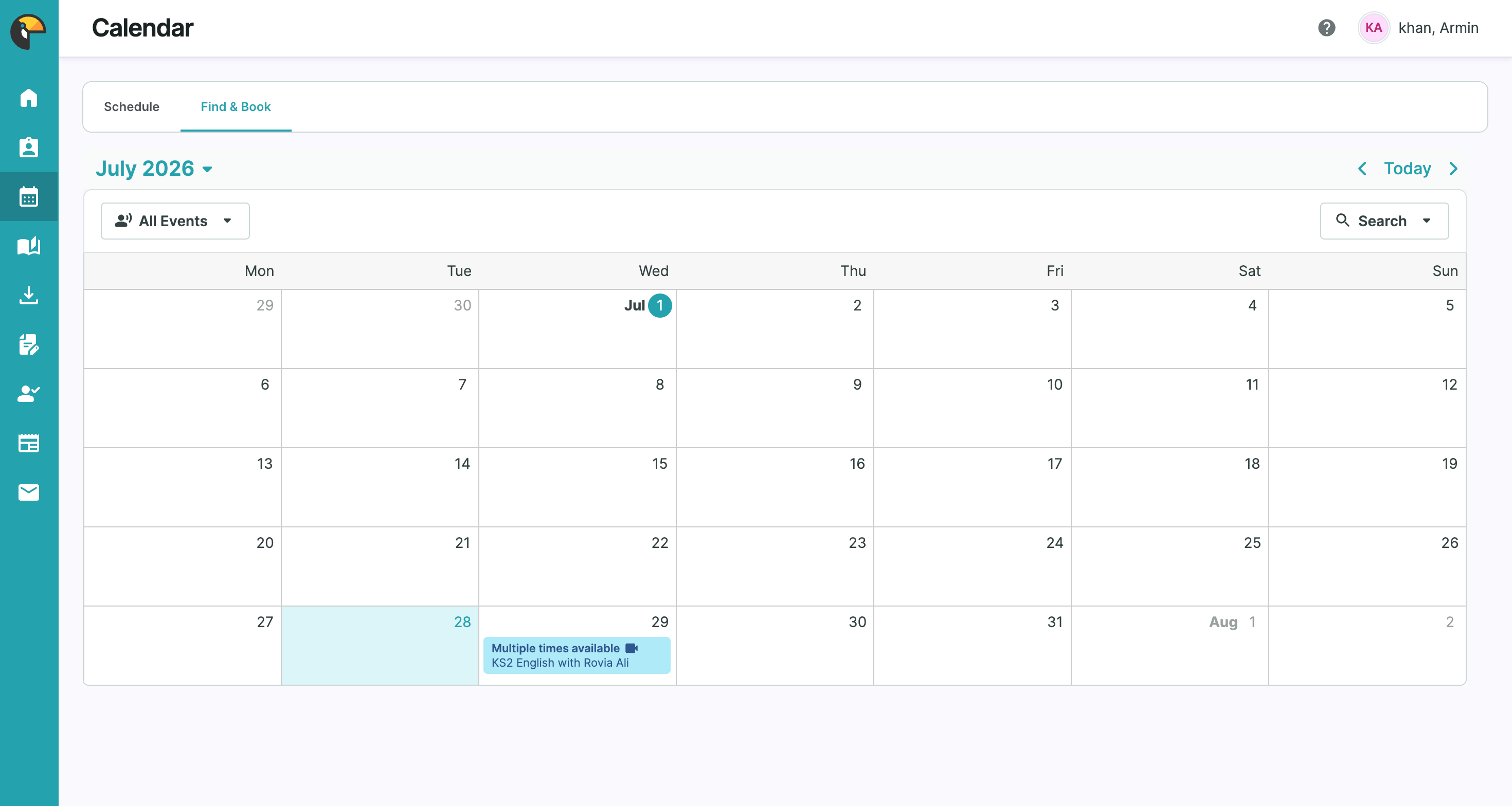
Flexible Booking
Use the 'Find & Book' tab to browse available slots and book new lessons whenever you need them — flexible scheduling that fits around you.
Ready to Get Started?
If you're already a student or parent with Horizon Teaching, log in to your portal now. New to us? Get in touch and we'll get you set up.